A hardware revolution for your ColecoVision
Parrot Cart is a ColecoVision flash cartridge, with plugins anyone can make.


Pick your plugins
Plugins add arcade games and other consoles, like the NES and Game Boy. ColecoVision and Movies come built in. The rest are free downloads, and anyone can make one.
-
ColecoVision
Built inPlay ColecoVision games from your SD card
-
Movies
Built inPlayer for movies made with the movie converter
-
NES
Emulator for Nintendo's 8-bit console
-
Game Boy
Emulator for the handheld console
-
SMS & Game Gear
Emulator for Sega Master System and Game Gear
-
MSX
Emulator for MSX1 cartridge games
-
PC Engine
Emulator for PC Engine and TurboGrafx-16 HuCard games
-
Vectrex
Emulator for the vector-based home console
-
SCUMM
Engine for classic point-and-click adventure games
-
PSG Synth
Synth for USB MIDI keyboards
-
Lua
Write and run Lua programs on the console
-
Text Editor
Plain text editor for a USB keyboard
-
Pad Test
Tester for USB gamepads
-
NES Info
Viewer for NES ROM headers
Arcade and console plugins need your own game files. Go to the plugins site
One .CVP file in the PLUGINS folder
Download it
Each plugin is one free .CVP file on the plugins site.
Copy it to your card
It goes in the PLUGINS folder on the microSD card.
Start it from the menu
Apps are on Home. The others open from their files, like your .nes games.
To update a plugin, copy the newer file to the card. The built-in ColecoVision and Movies update the same way.

Your ColecoVision games, from the card
Copy your games to a microSD card and pick one from the menu. The console runs it just as it would a cartridge.
- Big games
- MegaCart games work too.
- Super Game Module
- Its games work if you have the module.
- Back to the menu
- Press RESET on the console at any time.
Plug in your USB gear
The cart has a USB‑C port. Gamepads, keyboards and mice go in a powered USB hub, because the cart can’t power them.
- Gamepads
- Use the menu and play plugins with a USB gamepad, like the Switch Pro Controller or an 8BitDo pad in Switch mode. Some plugins take two.
- Keyboard and mouse
- Type in Lua and the Text Editor, or point and click through the adventure games SCUMM plays.
- Music keyboards
- Plug in a USB MIDI keyboard and play the ColecoVision like a synth with PSG Synth, a free plugin.
- Music out to a computer
- Plug the cart into a computer and the free Parrot Cart MIDI app plays SCUMM’s music on an MT-32 sound engine. It runs on Mac, Windows and Linux, with ROMs from an MT-32 you own.

Write a plugin in C or Lua
If you can write a program, you can make a plugin and share it on the plugins site.
Starter kit
A free template and SDK on GitHub, with an example for each thing a plugin can do.
Simulator
Run your plugin in a window on your computer before you try it on the console.
Lua
Write plugins in Lua, on your computer or on the console with a USB keyboard.
Claude skill
The kit comes with a skill that helps Claude Code write, port and release plugins.


Play your own movies
Turn your videos into movies the ColecoVision can play, with picture and sound. More about movies
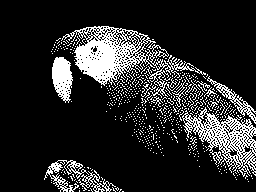
Black and white
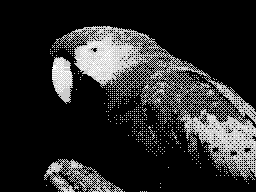
Gray
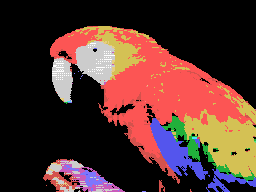
Color
Preorder Parrot Cart
Parrot Cart is a ColecoVision flash cartridge, with a microSD slot and a USB‑C port.
- Price
- price to come
- In the box
- contents to come
- Plugins
- Free downloads, not in the box. Only ColecoVision and Movies come built in.
- Your files
- It doesn’t come with any games or movies. You add your own.
- The card
- A microSD card formatted as FAT32 or exFAT. Most cards come that way.
What’s inside
A Raspberry Pi RP2350 chip, 8 MB of PSRAM and 16 MB of flash, with the microSD slot and the USB‑C port on the board.
